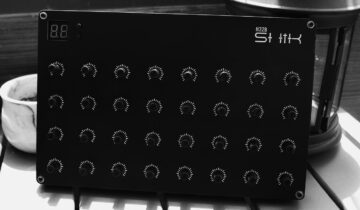

The S32 has its own editing view in the web editor, and you can explore all of it today.
The S32 is three things at once: a control surface, a MIDI processing engine, and a modulation source. Fitting all of that into one place took a dedicated editing view, and that view is now live in the web editor.
Add a demo S32 and the whole environment opens up, no hardware needed.
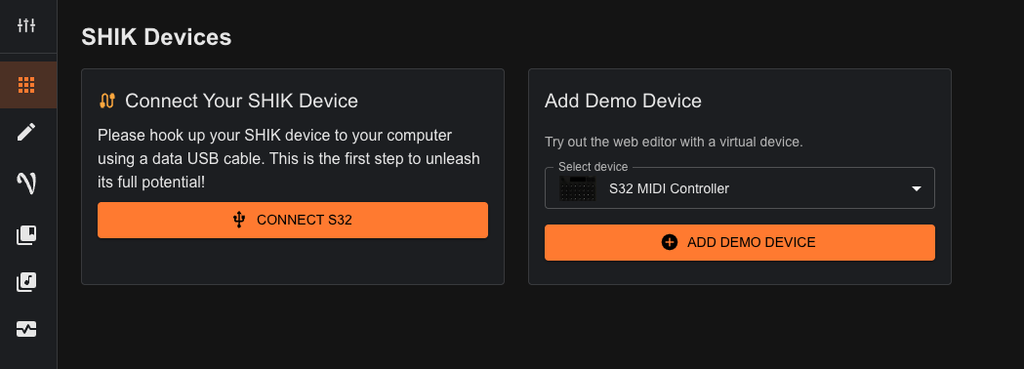
Here’s what each part of it is for.
Project
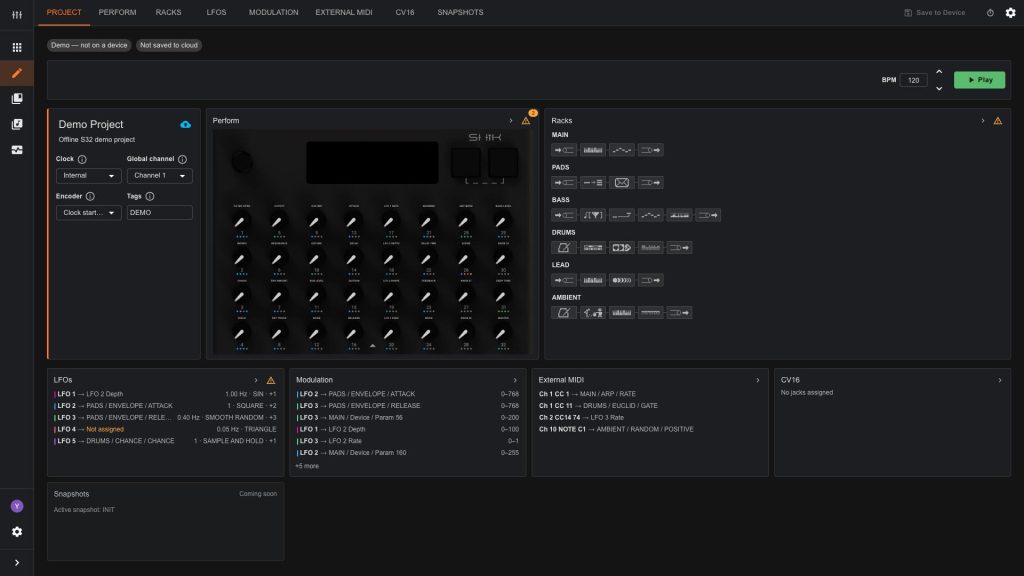
Project is the view from above. It holds the settings that apply to the whole setup, like clock and global channel, and it shows you what every other tab currently contains.
Everything it lists is a way in. Click a macro, a rack device or an LFO in the overview, and the editor jumps to the screen it lives on with that parameter already in front of you. No hunting for where you set it.
It’s where a setup starts, and where you check where it stands without digging through the rest of the editor.
Perform
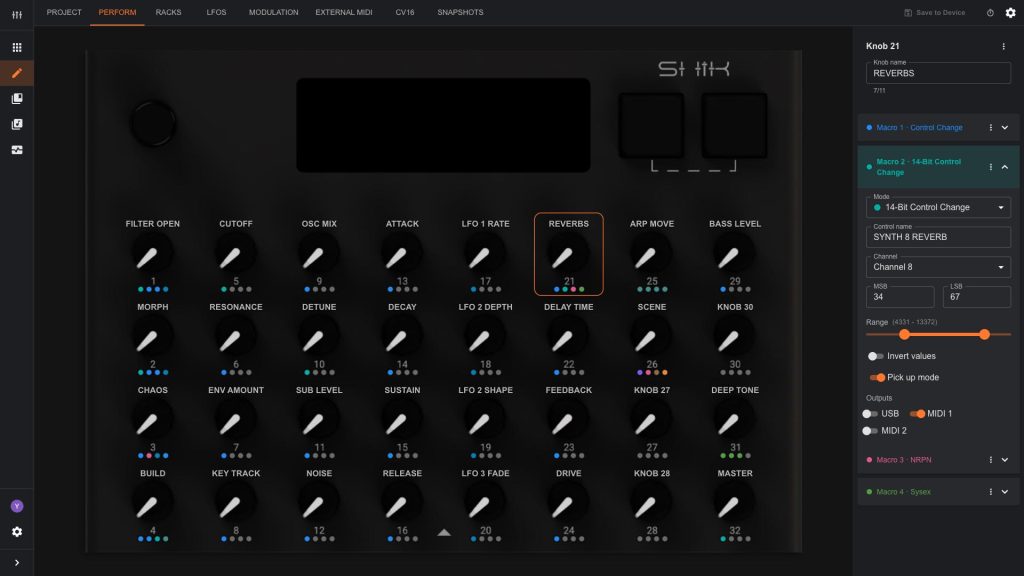
Perform is where your knobs get their jobs. Each of the 32 knobs can carry up to four macros, which means one turn can move several things at once, in different places.
One knob can ride a filter in your DAW while nudging two hardware synths alongside it, each with its own range and behavior.
Racks
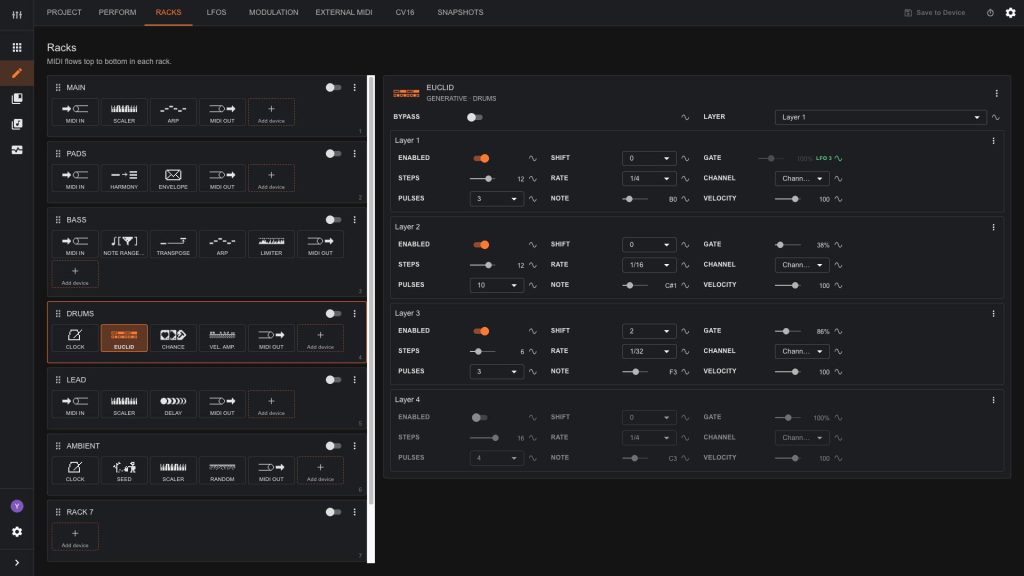
Racks is the processing side of the S32. You build chains of MIDI devices and the signal runs through them in order: arpeggiators and sequencers, scale and harmony tools, filters, routing, dynamics, and more. Every parameter inside every device can be changed and modulated.
This is where the S32 goes past sending control changes and starts generating and transforming material of its own.
LFOs
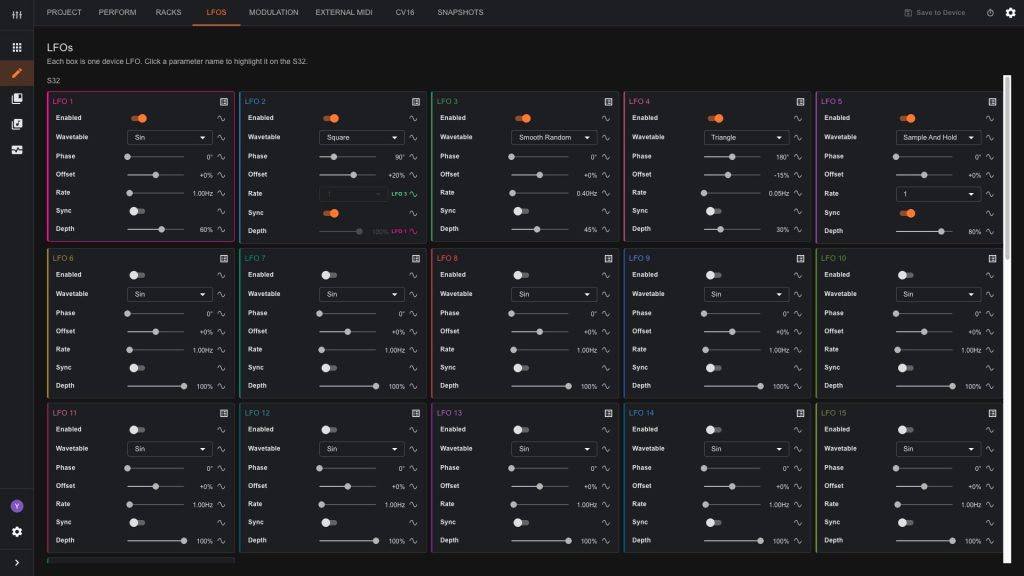
16 LFOs, each shaped on its own terms: wave, rate, depth, phase, and sync. Any LFO can modulate another’s parameter. You design the movement here and decide what it drives afterwards, so reshaping an LFO never means rebuilding your routing.
Modulation
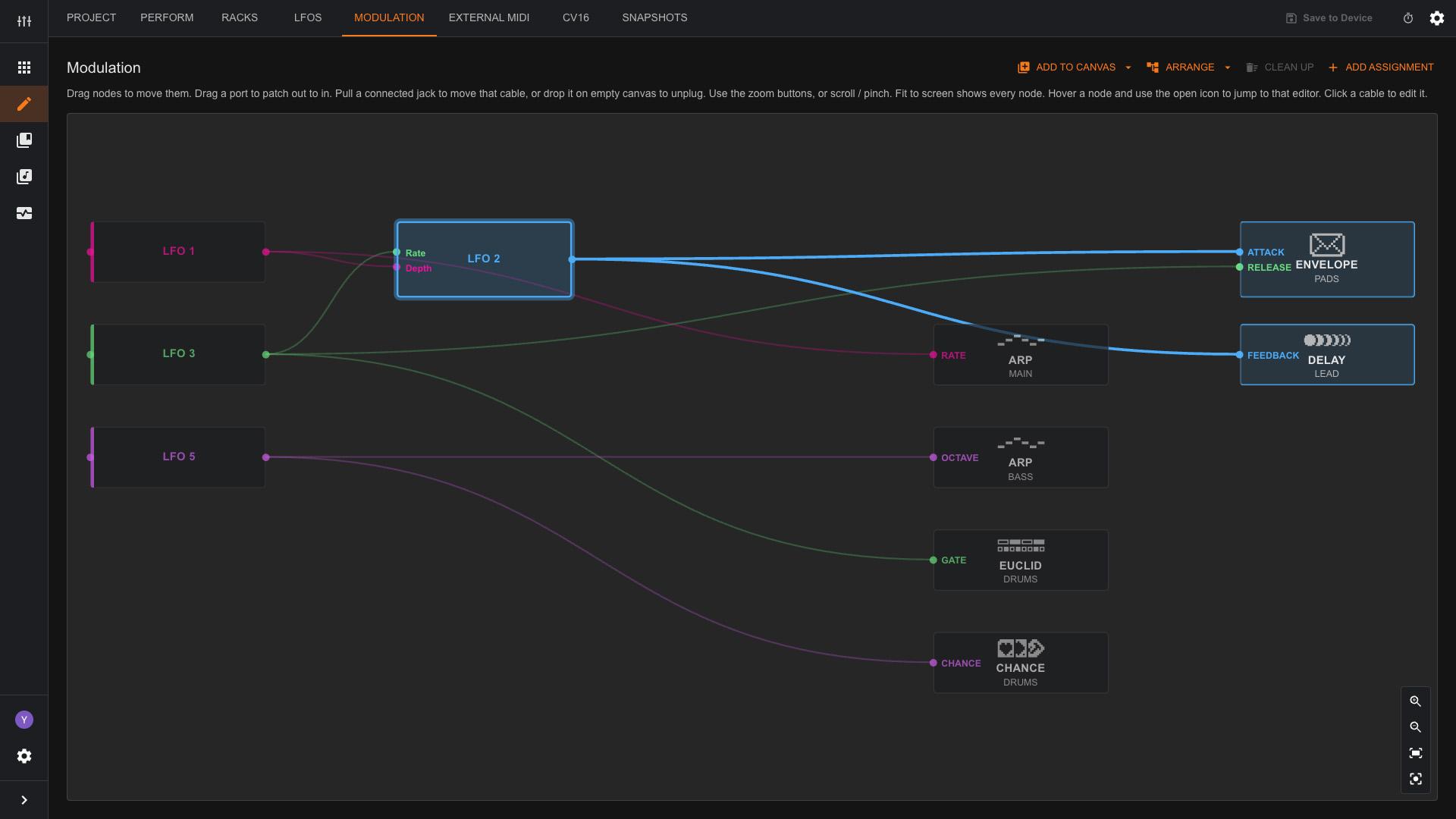
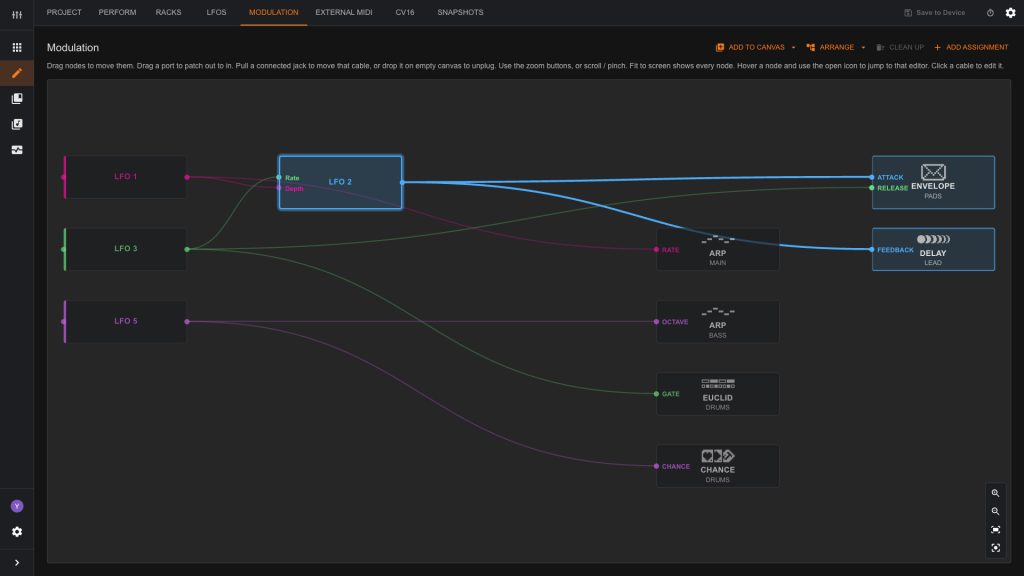
Modulation is where the movement gets connected. Point an LFO at a knob macro, or at any parameter inside a rack device, and the connection appears as a line between the two.
Everything lands on one canvas, so the whole project is in front of you. Each LFO carries its own color, and clicking one lights up the connections that follow it while the rest fade back. A single source stays easy to trace, even when a lot is moving.
Seeing modulation as cables and nodes rather than a list of assignments is what keeps a busy project readable once several sources are running together.
The Editor and the Device Stay in Sync
The S32 is standalone, so a whole setup can be built on the device itself. The web editor is that same setup on a bigger screen.
Edit in either place and the other follows live. Turn a knob on the S32 mid session and the browser is already showing it. Work on the device, work in the browser, or move between them. Whatever you prefer.
More to Come
The S32 side of the editor will keep growing as more of the device’s features come online.
For the full detail on every rack device and macro type, the S32 manual has the complete reference.
If you have thoughts, requests, or just want to share what you’re building, come join the conversation in our Discord.