
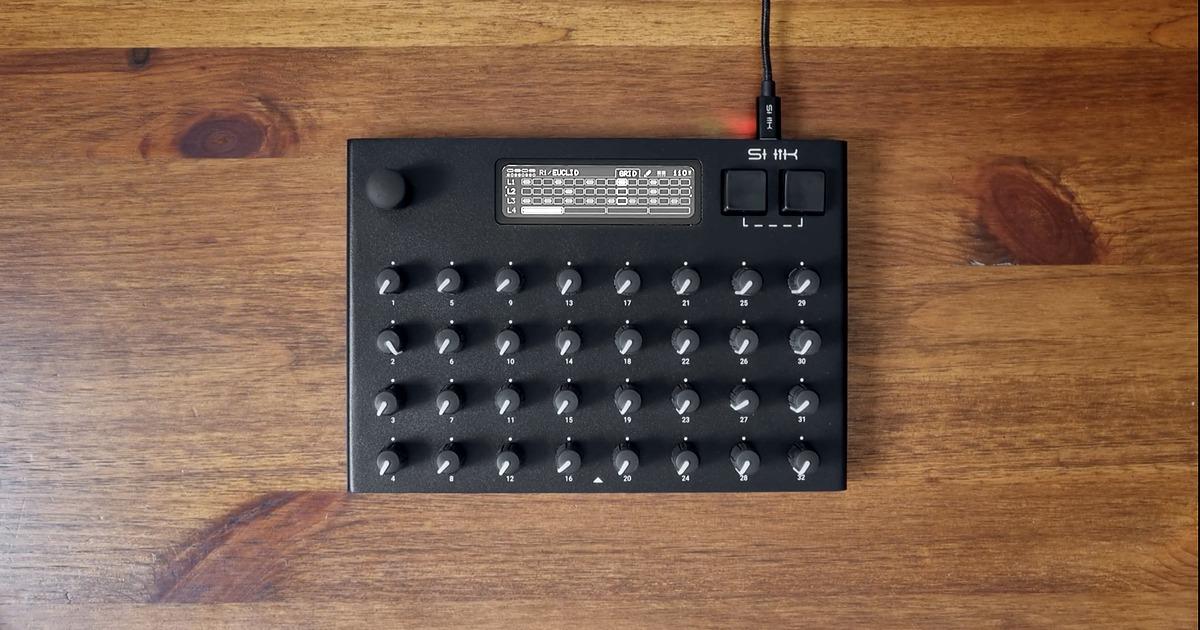
We wanted to give you some ideas on how the S32 MIDI controller works and how you could create your own workflow and setup for a meaningful and creative performance. This post shows a simple, yet expressive drum performance, built around LFO ranges.
One LFO on the S32 switches this Euclidean drum beat between two grooves on every bar. It changes the kick, the hats and the fill at the same time, and LFO ranges let us set how far each one moves. Here’s the beat as we play it, and how we put it together.

What’s in the Rack
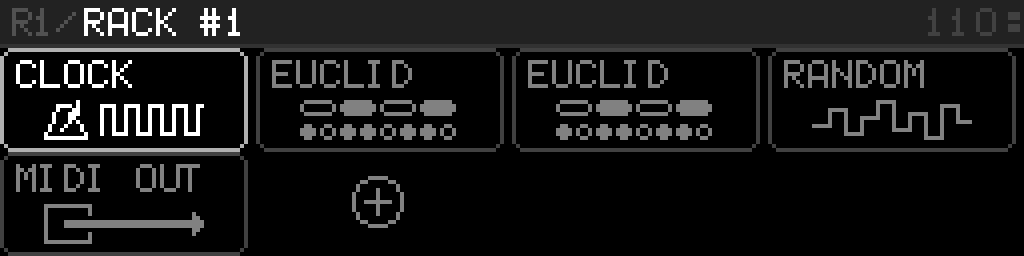
A rack is a chain of MIDI devices. Notes flow through them, and each device generates or modifies notes before handing them on to the next device.
Our groove lives in one rack, running at 110 BPM into a drum kit. The whole setup is built on the controller itself. These are the devices in the rack, in order:
- The Clock device
- Two Euclid devices, one for the beat and one for the fill
- The Random device, which varies how hard each note hits
- The MIDI Out device, which sends the notes to our drum kit over USB
The Euclid device is our Euclidean rhythm generator. It has four layers, each playing its own pattern on its own note.
Euclid 1 uses all four layers for the beat:
| Layer | Sound | Steps / Pulses / Shift | Rate |
|---|---|---|---|
| L1 | Kick | 16 / 3 / 0 | 1/16 |
| L2 | Snare | 16 / 2 / 4 | 1/16 |
| L3 | Closed hat | 16 / 8 / 0 | 1/16 |
| L4 | Crash | 4 / 1 / 0 | 1/1 |
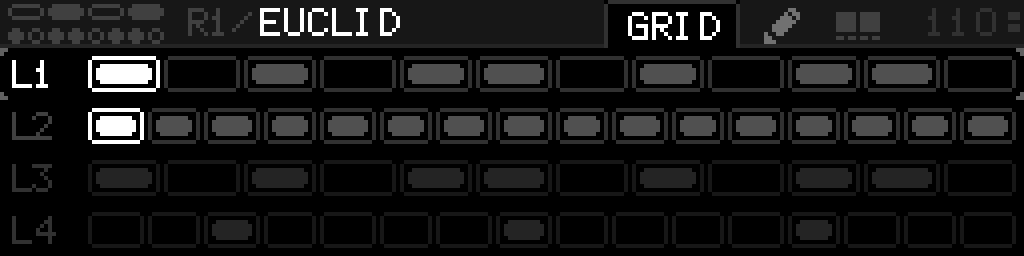
Euclid 2 uses two layers for the fill:
| Layer | Sound | Steps / Pulses | Rate |
|---|---|---|---|
| L1 | High tom | 12 / 7 | 1/16 |
| L2 | Snare 2 | 16 / 16 | 1/8 |
One LFO, Two Grooves
LFO 1 does the switching. It moves four things at once:
- Kick hits per bar
- Hat note
- Hat velocity
- Fill note
We set it to a square wave, synced to the tempo, at a rate of 2 bars and full depth. A square jumps between two values and spends one bar on each, so the groove switches on every bar line.
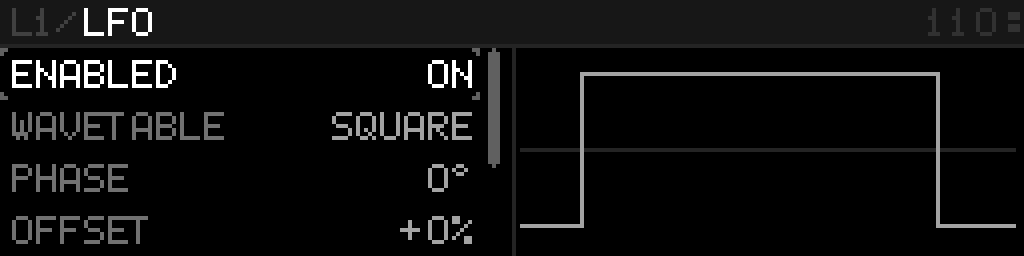
Since it’s one LFO, all four changes are perfectly synced.
Every Part Gets Its Own Range
Every target the LFO moves gets its own range, with a minimum and a maximum value. So the same wave can swap the closed hat for the ride and push its velocity up, at the same time.
| What it changes | Range |
|---|---|
| Kick hits per bar (Euclid 1, kick layer, pulses) | 3 to 5 hits |
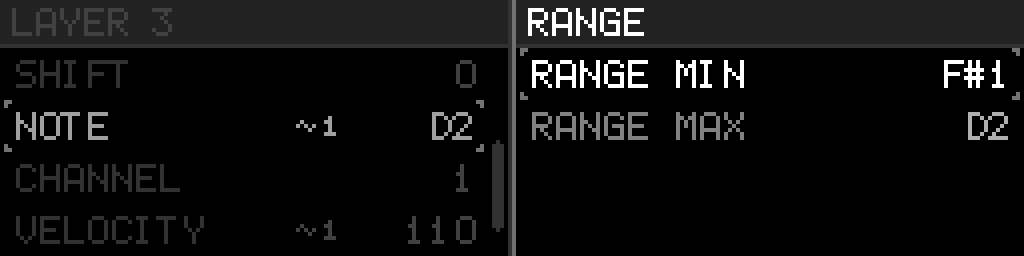
| Which cymbal the hat layer plays (Euclid 1, hat layer, note) | Closed hat to ride |
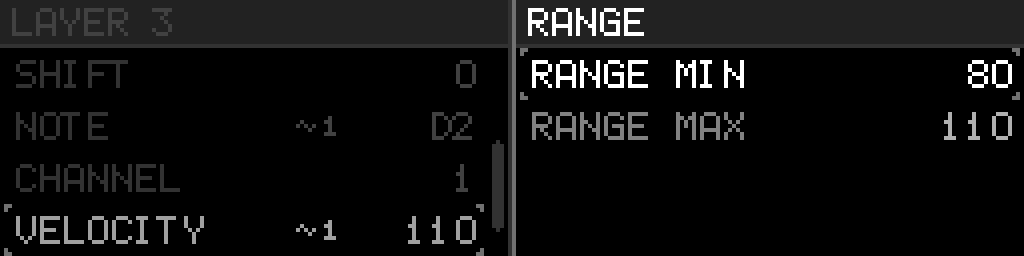
| How hard the hats hit (Euclid 1, hat layer, velocity) | 80 to 110 velocity |
| Which tom the fill plays (Euclid 2, tom layer, note) | High tom to floor tom |
A new target starts with the parameter’s full range, so we narrowed each one to just the values we wanted. On the hats, 80 to 110 lets the ride hit harder than the closed hat.
Playing the Fill With Two Knobs
Euclid 2 stays in bypass until we need it, so the beat plays on its own. At the start of a bar, we turn up knob 1, which turns on the Euclid 2 device and brings in the fill. LFO 1 switches it between the high tom and the floor tom, along with the groove.
As the roll builds, we push up knob 2, which controls the rate of the fill snare, with a range of 1/8, 1/16 and 1/32. On the next bar, knob 1 goes back down and the groove plays on its own again.
Give It a Human Touch
The Random device gives every note from both Euclid devices a slightly different velocity. We set it to take away up to 15 and add up to 8 (in MIDI velocity values), so each hit lands a little softer or harder than programmed. This makes the beat sound less mechanical.
The fill gets a similar touch from a second LFO. LFO 2, set to a saw wave, makes each roll get louder toward the end of the bar.
Read about LFO ranges in the user manual.
What would you build with LFO ranges? Tell us on Discord.