
We built a single place for every MIDI parameter your gear has, so you can spend more time playing and less time searching.
The Problem with MIDI Documentation
You’ve got a synth you love, a controller you’ve spent hours setting up, and now you want to add one more parameter, the filter cutoff, maybe, or the reverb decay. So you search for the MIDI implementation chart, download a 40-page PDF, scroll to page 23, squint at a table that wasn’t designed to be read by humans, find the CC number… and then realize you need two more and have to do the whole thing again.
It adds up. Every minute hunting through documentation is a minute not spent making music. And when you’re working across multiple devices, a drum machine here, a vintage effects unit there, the tab count gets out of hand fast.
There had to be a better way. So we built one.
Everything in One Clean View
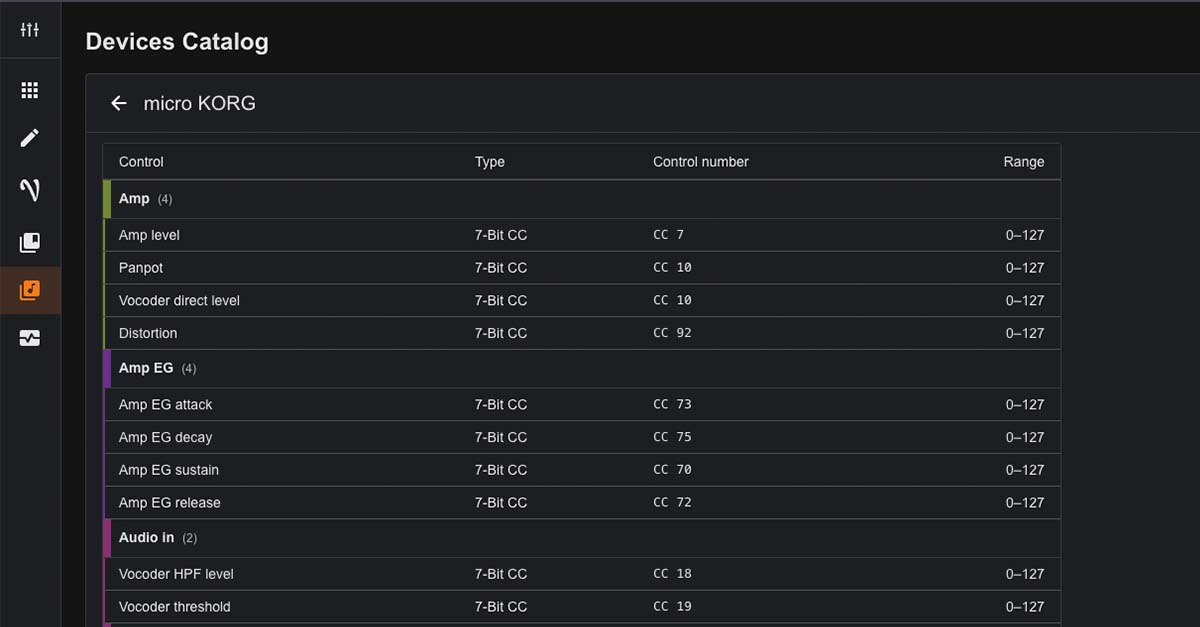
The Devices Catalog lives right inside the web editor. It’s open to everyone, whether you own a SHIK controller or you’re still deciding. Open it and you’ll find a visual grid of supported devices: synthesizers, effects units, amplifiers, samplers, and more. Search by name, brand, model, or category. Filter by manufacturer or category. Each card shows the device name and how many parameters are available.
Select a device and you get a clean, organized table, every parameter grouped by section, with the control name, type, CC number, and value range all in one view. Nothing to cross-reference. No PDFs. No squinting.
Need a specific parameter fast? The search bar finds it by name in seconds. Filter by section if you want to narrow things down. What used to take minutes now takes a moment.
Finding the parameter is only half of it, though. The real shift is what happens next.
One Click to Map It
Here’s where it gets good. You don’t just look a parameter up and copy the numbers by hand. You map it in a click.
While you’re editing a macro, click the three dots and choose “Map from device catalog.” Pick your device, find the parameter you want, and click it. That’s it. The mode, control number, LSB, and range all fill in for you. No typing, no second-guessing whether you got the 14-bit setup right.
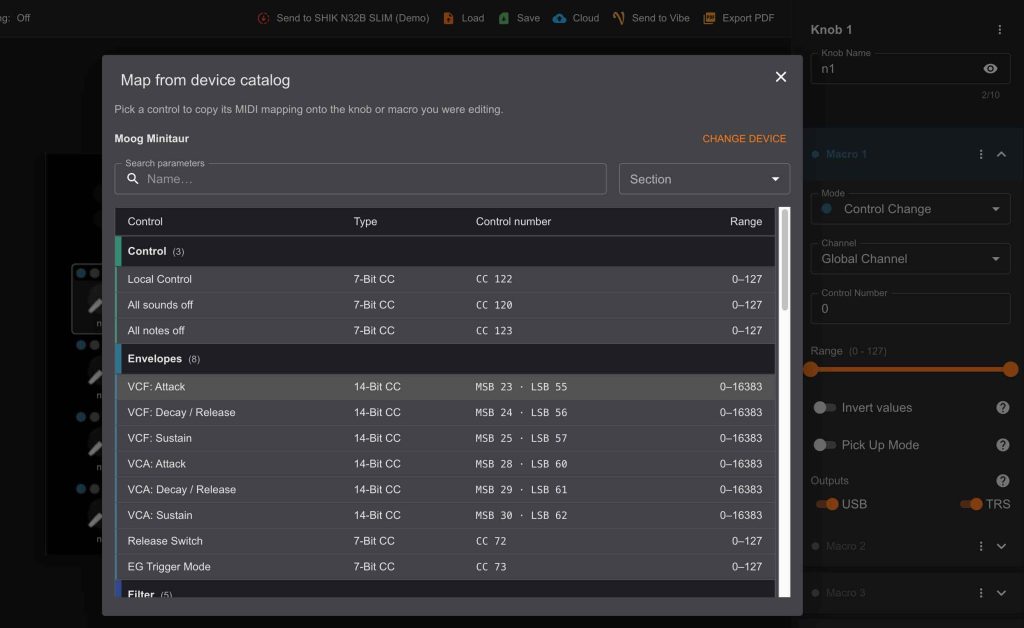
The macro then shows exactly what it’s mapped to, so a knob reads “Minitaur · VCF: Attack” at a glance. You always know what every control is doing.
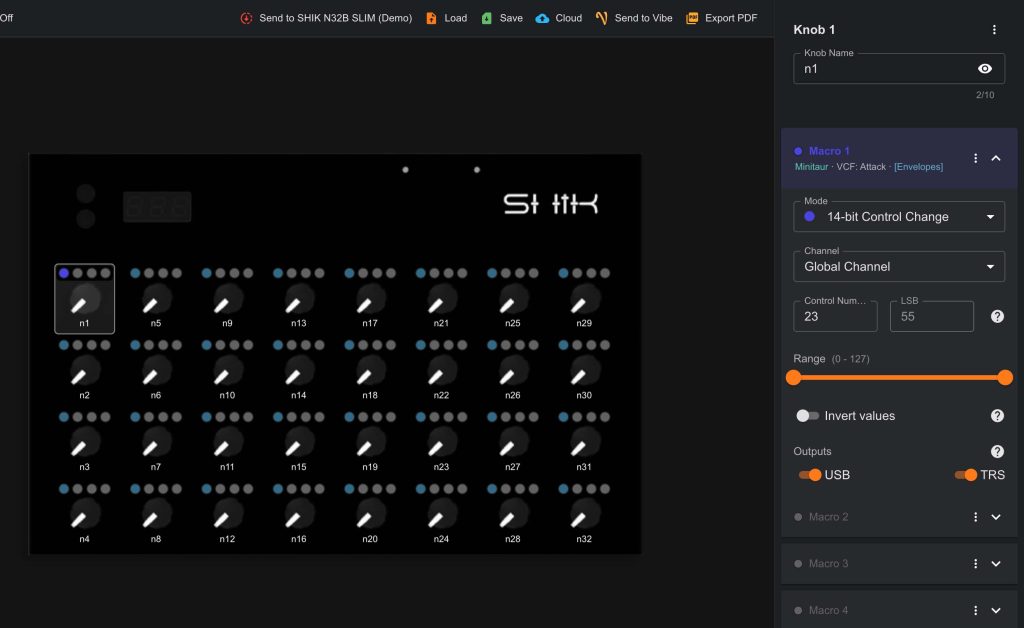
When mapping is this fast, something shifts. You stay in the flow. You try things you wouldn’t have bothered with before, and you build faster.
This works with all N32B versions, and it’s coming to the S32 too.
Built to Grow
The catalog keeps growing. As the community requests more gear, we’ll keep expanding what’s in there. And if your device isn’t listed yet, you can request it directly from the catalog. Just hit “Request a Device” and let us know what you need.
Our goal is simple: whatever device is sitting on your desk, we should already know everything about it.
This is part of our broader mission to make our web editor the most intuitive place to build and manage your MIDI controller setups. The less time you spend on the technical groundwork, the more time you have for what actually matters, the music.
If you have thoughts, requests, or just want to share what you’re building, come join the conversation in our Discord or the Facebook community.