
Loading a preset used to mean digging through JSON files. Not anymore.
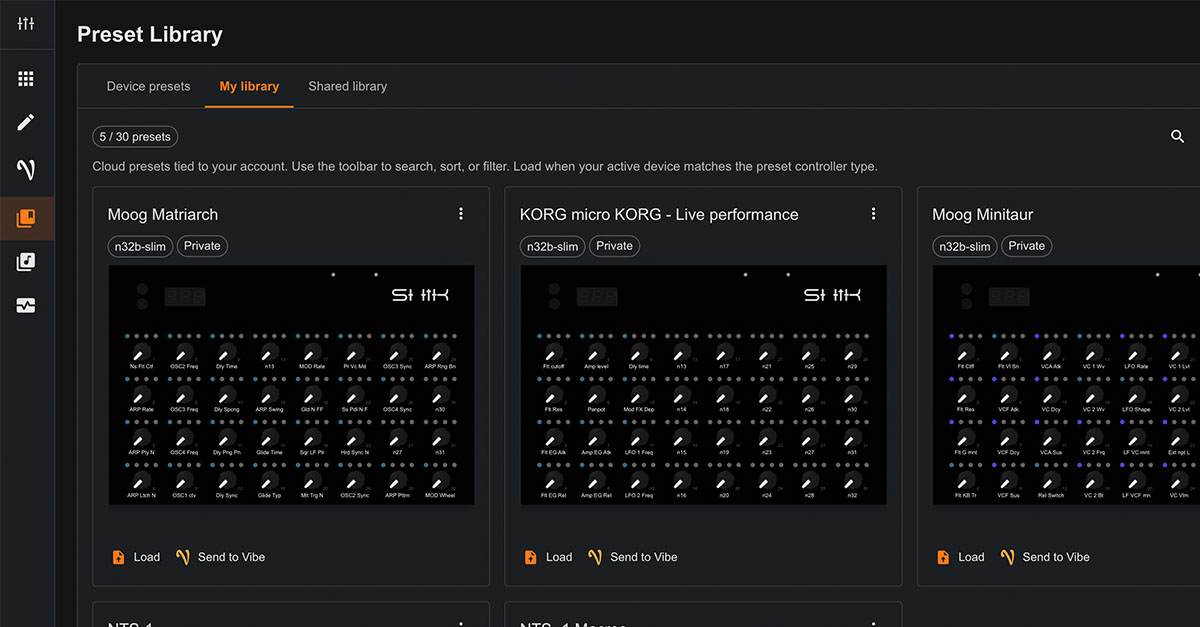
The web editor now includes a cloud library for your presets. Keep up to 30 presets in one place, accessible from any device, and it works across all N32B versions, with S32 support coming too. No more searching through folders or renaming files.
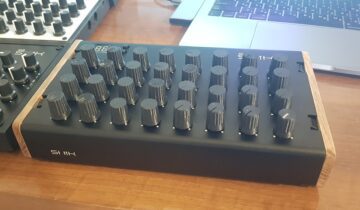
Each preset includes a name, description, and the SHIK controller it’s built for. Connect your controller, load a preset from your library, and send it straight to your device.
Prefer to keep things local? You still can. The cloud library is optional, and your workflow stays fully flexible.
Your Work, in One Place
Presets are not just files. They are your work, your setups, your ideas.
Until now, managing them meant relying on local storage. Files get lost. Versions get mixed. Moving between devices breaks your flow.
The cloud library changes that.
Your presets are always available, always organized, and always ready to use. Whether you are working from your studio, your laptop, or a different setup entirely, everything stays in sync with how you create.
Find Any Preset Fast
As your library grows, finding the right preset should stay effortless.
Search by name, sort by recent, oldest, or alphabetically, and filter by SHIK controller.
Whether you have a few presets or a full collection, everything is structured so you can get to what you need instantly.
Sharing With the Community
Presets are also a way to learn, explore, and build on each other’s ideas.
If you want to, you can share a preset to the Shared Library. Other users can browse, rate, and add presets to their own library.
Sort shared presets by top rated, newest, or most downloaded. Discover how others approach their setups, explore new mappings, or save time when working with unfamiliar gear.
You can keep everything private, or contribute and be part of a growing library of ideas.
If you have thoughts, requests, or just want to share what you’re building, come join the conversation in our Discord or the Facebook community.